
- Select one or more supplier contacts.
- Click the three dots (⋯) button and choose Send Bulk Email.
- Enter the Subject and Message.
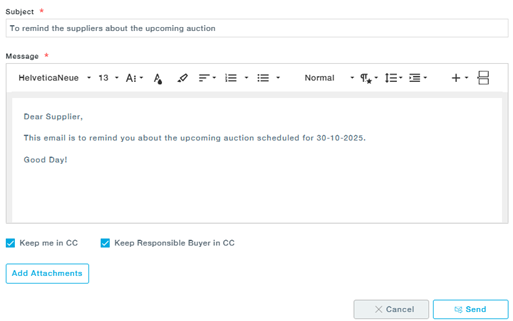
- (Optional) Select to include the user and/or the responsible buyer in CC (To reduce unnecessary email traffic to senders and responsible buyers, ensuring targeted and efficient communication.)
- Add any attachments if required, then click Send.