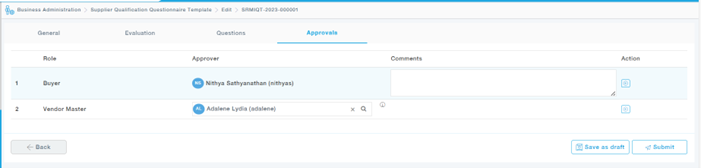
Choose Edit option from the Action, for the template you wish to edit.
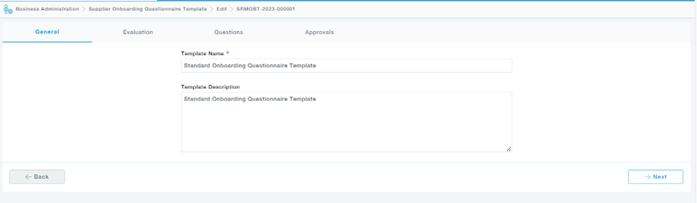
General Tab: Provides the basic information of the template.
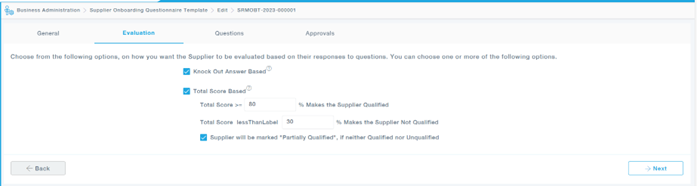
Evaluation Tab: Provides how the suppliers are evaluated, either by total score based or Knock out based. The scores can be modified accordingly.
Questions Tab: The questions tab consists of all the questions that is required to be added to the onboarding questionnaire.
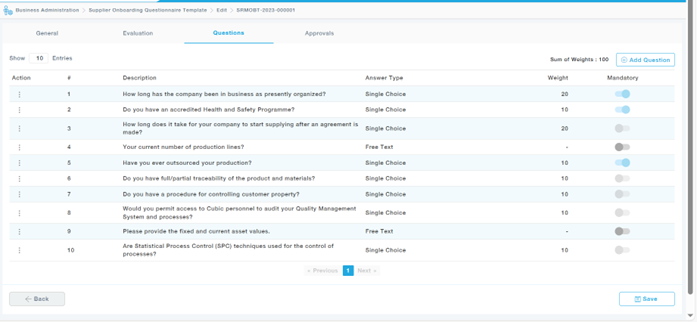
Available Actions
- Edit: Used to edit a question in the questionnaire
- Delete: Used to delete the question
- Move Up: Moves one place up the list of questions
- Move Down: Moves one place down the list of questions
- Move To: This option is used to move the question to a particular number in the list of questions
The Mandatory Toggle can be switched on or off based on the requirement.
Approval Tab: Once the questions are added, the questionnaire is submitted for approval.