
The employees of Buying and Supplying organizations or any user who has access to the complaint portal link can anonymously register complaints about the companies’ sourcing processes and get them addressed. All such complaints received against the selected organization unit are displayed in the Complaint Register. A case manager can view the details of the Case. MeRLIN decrypts the case details for that view and presents them in a readable format. The details remain encrypted in DB.
After reading the Case details, the Case Manager can choose to assign the Case to another Case Manager. The newly assigned Case Manager can ask for more clarifications from the complainant and close it once the action is taken.
Menu Path: Supply Chain Management >> Complaint Register
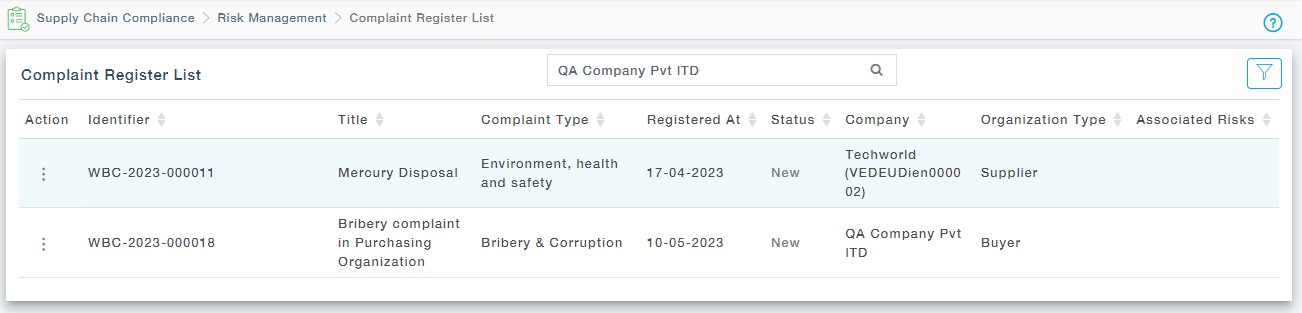
Actions Available
- View: View the complaint in read-only format.
- Create Risk: If the complaint was raised against a supplier, this action item is available. Here you can create the risk based on the complaint provided by the complainant.
- Assign Case Manager: Assign the complaint to a case manager, going forward he/she will be able to communicate with the complainant. This process will remove the complaint from the common pool and move it to the assigned Case Managers List of Complaints under the submenu, “My Complaint Register”.