
Buyers can request revised quotes from suppliers as part of a structured negotiation process within the same RFQ. After reviewing the submitted quotes for a round, the buyer may initiate one or more revision rounds by selecting either all suppliers or a subset of suppliers who are associated with the RFQ. This allows focused negotiations without the need to create duplicate RFQs.
When a revision round is initiated, the system creates a new quote round and pre-fills each selected supplier’s revised quote with the values from their most recently submitted quote. Buyers can specify the reason and expectations for the revision and define a new quote submission deadline. Only the selected suppliers are notified of the revision request and are allowed to submit revised quotes for that round.
Suppliers can review the pre-filled values, make changes as needed, and submit their revised quotes before the new quote close date. Each revision is saved as a new version, ensuring that all changes across rounds are fully traceable and available for comparison during evaluation.
Buyers may continue to initiate additional revision rounds until satisfactory quotes are received. Once the buyer determines that no further revisions are required, the RFQ proceeds to evaluation, where only the quotes submitted in the latest round are considered for selection and award. All previous rounds and quote versions remain available for audit and reference, providing transparency throughout the negotiation lifecycle.
It is important to note that:
- The Buyer can initiate a Multi-Quote when:
- The Quote Close Date has already passed, or
- The Quote Open Date and Quote Close Date are both the current date.
- Suppliers associated with the RFQ, regardless of their previous quote status, can be included in the upcoming negotiation round.
- The Buyer can open an RFQ for the next round of negotiation before the Chief Commercial Evaluator starts the evaluation process.
- The Chief Commercial Evaluator selects the supplier and submits the recommendation for approval. If the Approver rejects the selection, the Buyer can reopen the RFQ and initiate the next round of negotiation.
Steps for RFQ negotiation after you find the quotes provided by the supplier unsatisfactory during the evaluation:
1.Initiate a new negotiation round: open the “Open for next round of quotes” action on the same RFQ.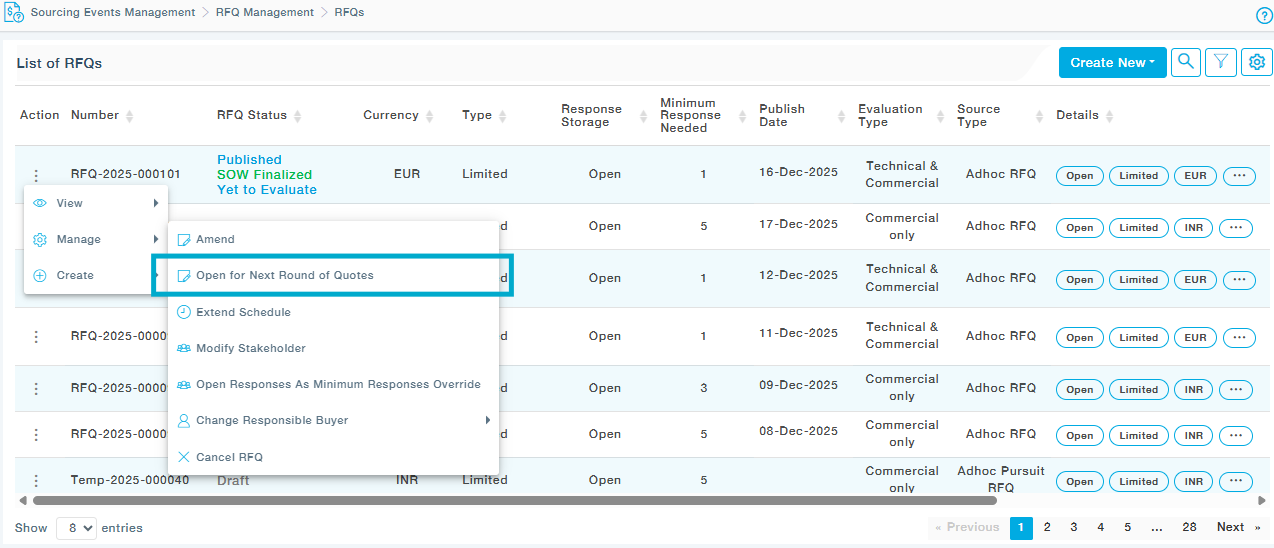
2. Provide the reason and detailed description of the purpose behind this negotiation. These will be shared with Suppliers in the Notification Email.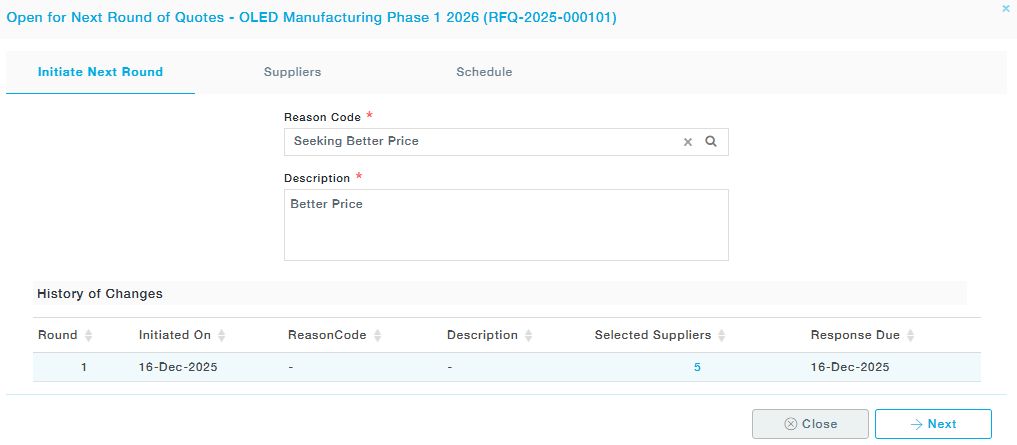
3. Choose the suppliers you would like to select for this negotiation round. It is important to note that during the transition to the Nth round, suppliers outside the (N–1)th round may still be included. 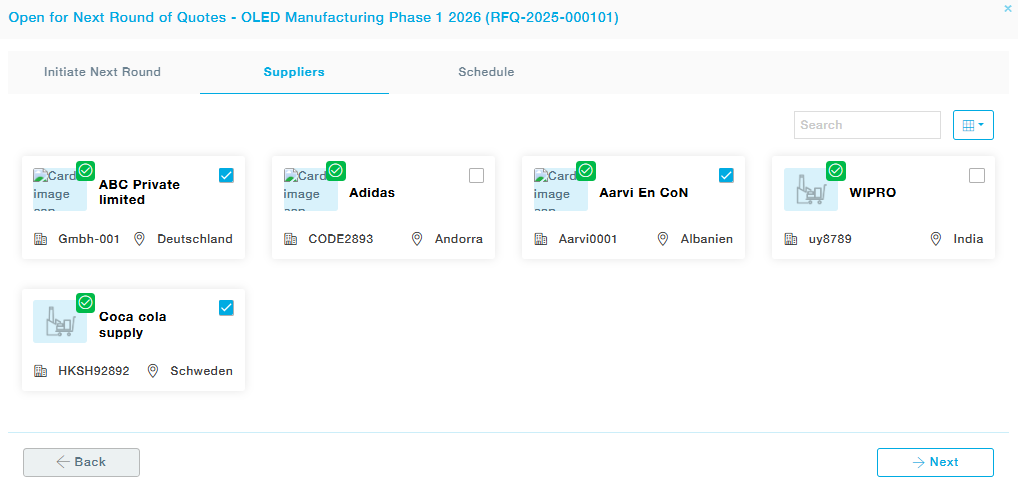
4. Choose an appropriate schedule (Quote Closes Date, Bid Opens Date, and Estimated Closure Date) for the next round and submit. 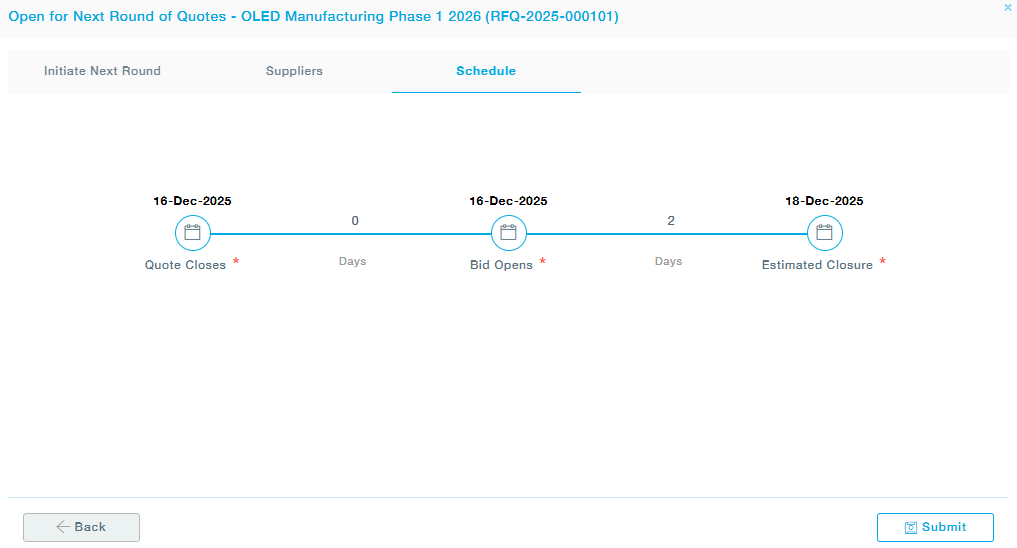
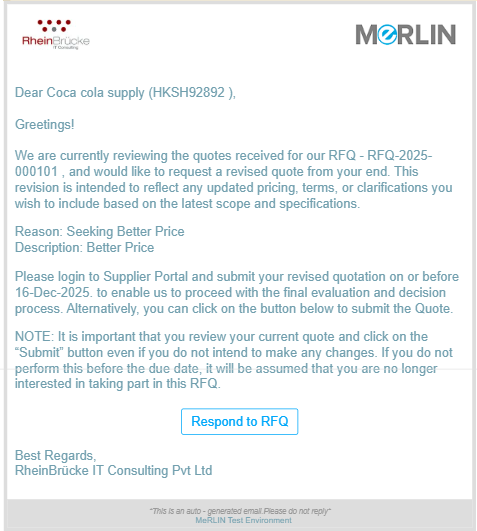
5. The supplier will be notified via email with the reason for requesting revised pricing. After receiving this notification, the supplier can submit updated quotes for the items requested by the buyer.
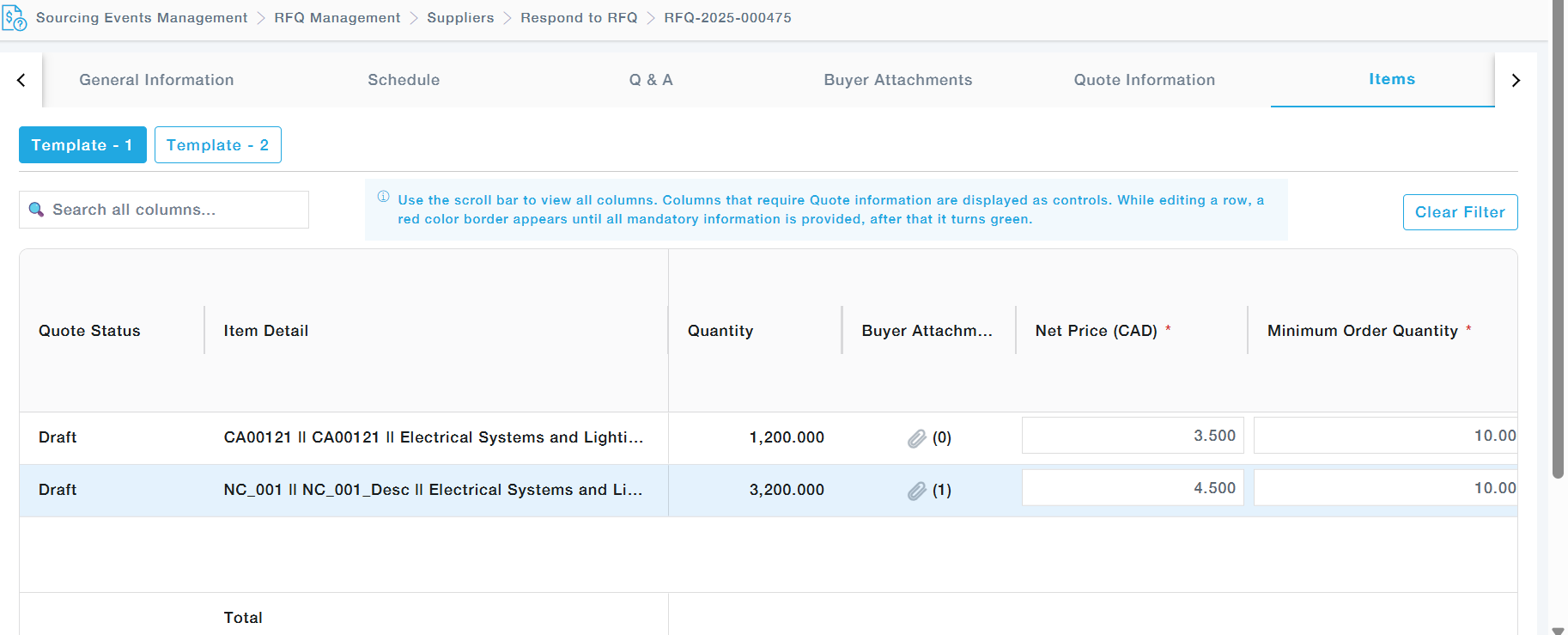
The supplier portal displays the latest quote submitted by the supplier, while retaining access to all previous quote details, including pricing history, attachments, and Q&A records. Suppliers can edit the quote by updating prices, discounts, and other values directly in the item grid, one item at a time.
6. All the changes made by the supplier are captured appropriately under the Change Log tab. Suppliers can submit their revised Quote after reviewing the Change Log. 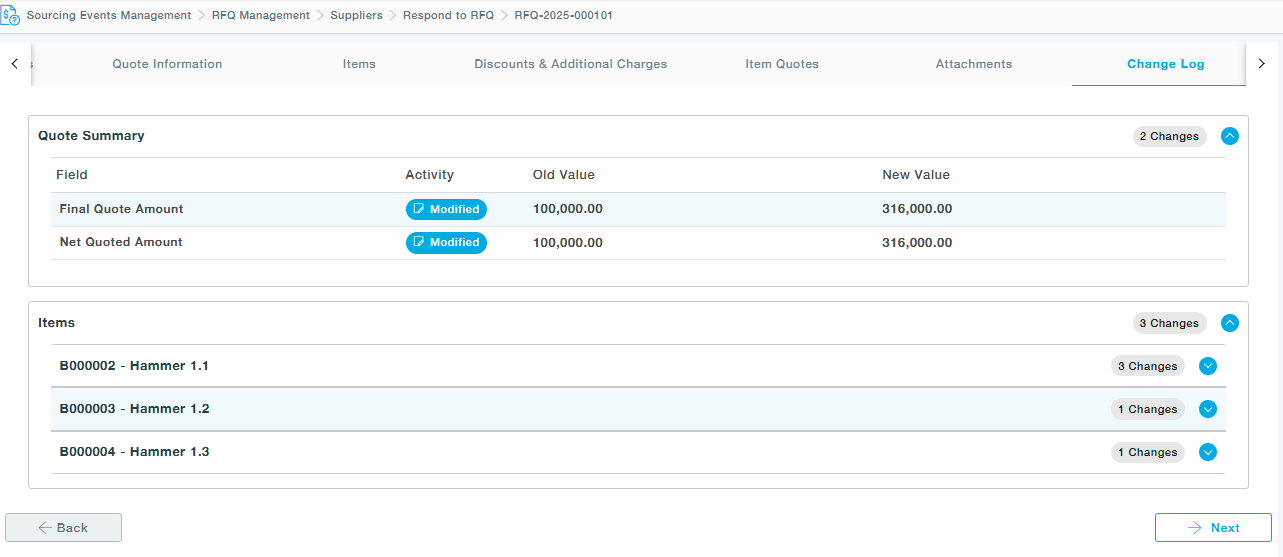
7. Within the Buyer’s View Suppliers page, users can see the current quote round number, the list of suppliers from whom quotes are awaited, and the remaining suppliers who were included in any of the previous rounds but are not selected in the present submission round. 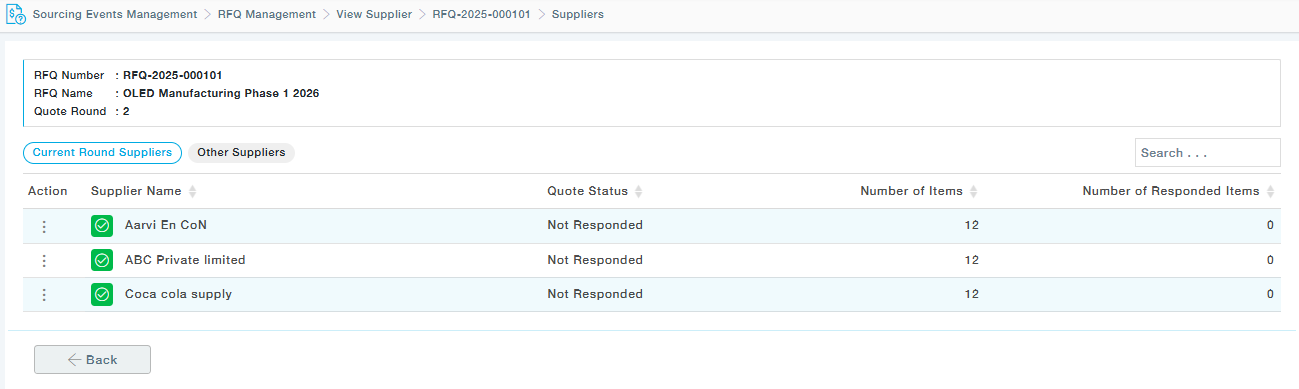
Note:
- Negotiation is permitted from the point of RFQ publication until supplier selection commences, and initiation of negotiation is restricted to the responsible buyer.
- Amendment and negotiation cannot be done simultaneously.
- Effectively, any RFQ modification will trigger notifications solely for the subset of suppliers selected for that round.