The API Integration Logs in the MeRLIN Buyer Portal provide a detailed record of API calls exchanged between MeRLIN and other systems as part of data Integration. The list indicates the APIs invoked, payload and responses and the result including the execution time.
Accessing API Integration Logs
- Menu Path: System Management à Integration Logs in the MeRLIN Buyer Portal.
- The system displays a table listing API interactions.

Log Table Field Details
The integration log table consists of the following columns:
- Direction: Indicates whether the API call is inbound or outbound
- API URL: Refers to the specific endpoint of the API being accessed during the integration process.
- Status: Shows whether the API call was Success (green) or Error (red).
- Input /Output Data: Links to view JSON input payload.
- Initiated At: Timestamp when the API call was made.
- Responded At: Timestamp when a response was received.
Filtering and Searching Logs
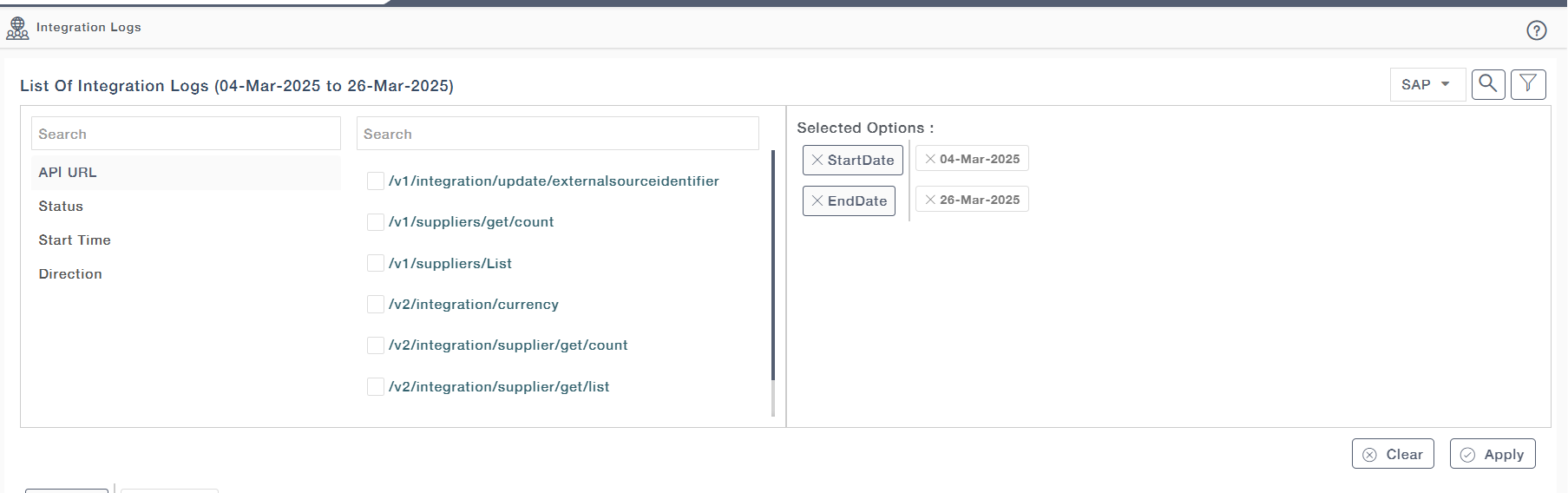
Click the Filter icon to apply filters on:
API URL
Status
Start Time
Direction
Selected filters appear under Selected Options and can be cleared as needed.
Click Apply to filter logs based on the selected criteria.
System Selection
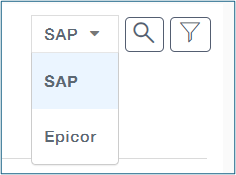
- Users can switch between different integrated systems:
- Click the System Dropdown
- Choose between SAP and Epicor to view logs related to the selected system.